For people who play
The whole studio.On your device.
Tuner, metronome, drums, piano, strings played in the air, tablature, multitrack recorder and stem separation. No account, no ads, no internet.
Free. No in-app purchases.
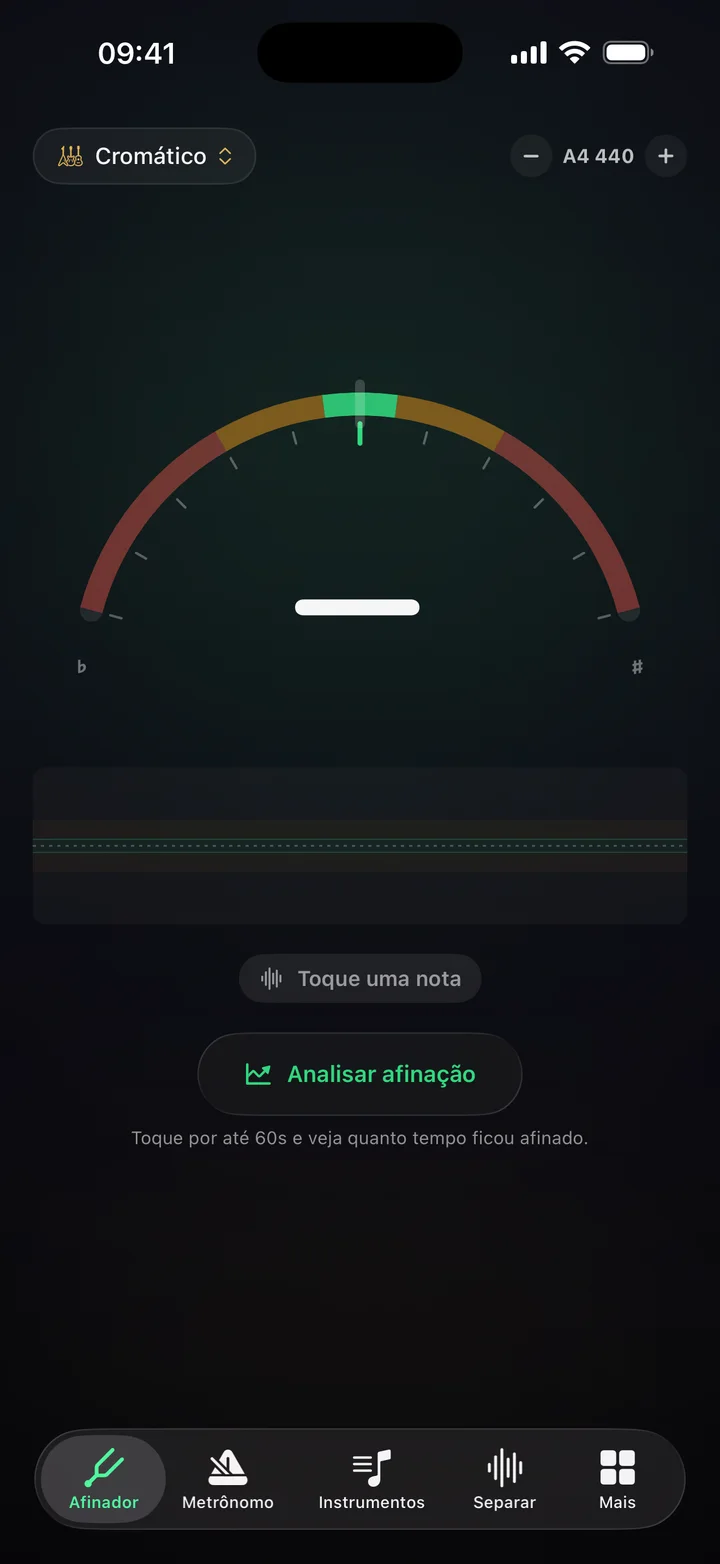
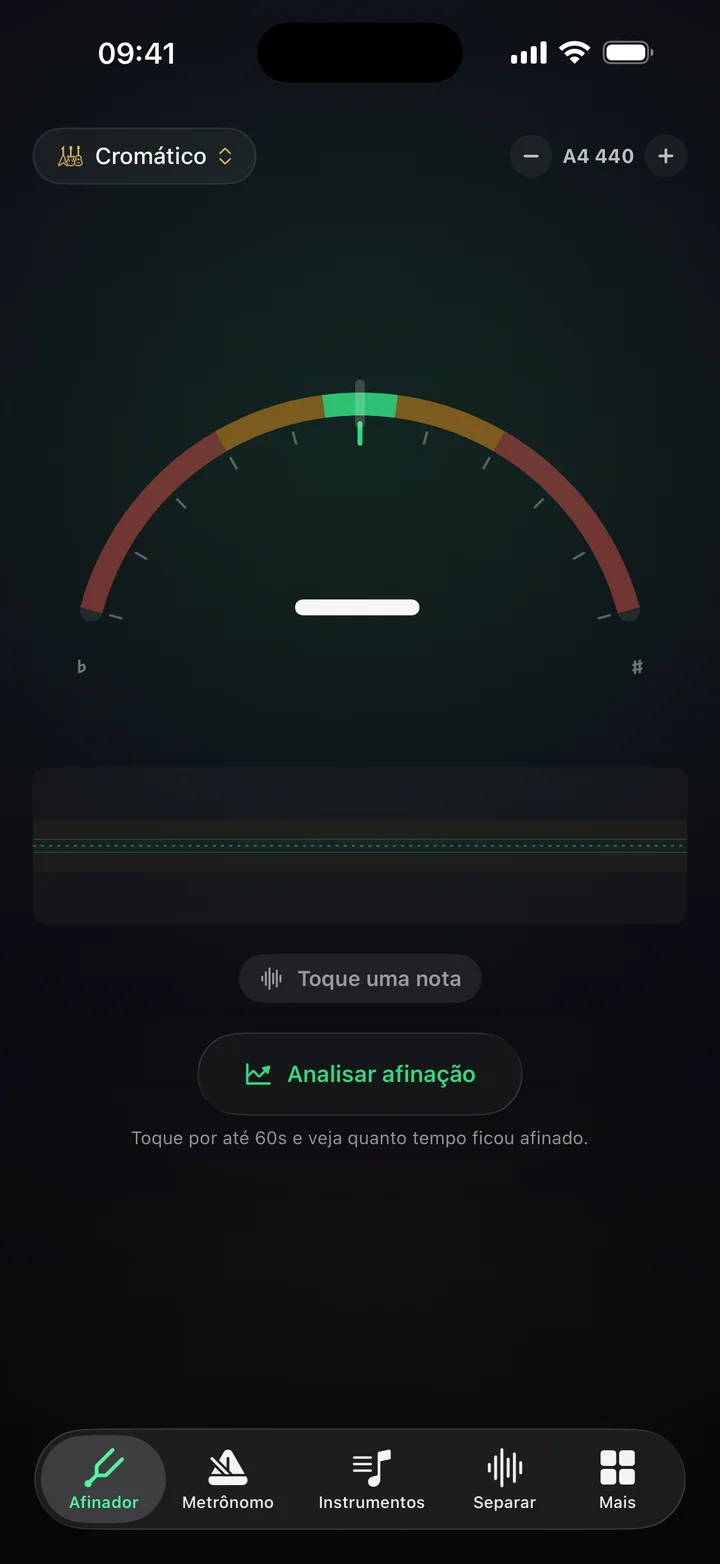
Play a note. The ring shows the deviation in cents.
- 5ms
between touch and sound on iPhone
- 24
simultaneous voices in the sampler
- 49
tunings in the catalogue
- 77
chords and 144 scales
- 10
languages, Arabic right to left
Strings · play in the air
Play an instrument that isn't there.
The front camera reads both your hands. One shapes the chord, the other plucks. Cadentia computes every string on the fly, by physical modelling, and the note comes out of the speaker as if the guitar existed.
Six instruments
Guitar, electric guitar, cavaquinho, ukulele, mandolin and bass. Every string is computed, not a pasted recording.
Nothing leaves the device
Hand tracking runs on the phone chip. No image is stored and none goes online.
No camera, too
Rather play on screen? The neck shows up with frets and fixed strings, and Chords mode becomes nine pads.
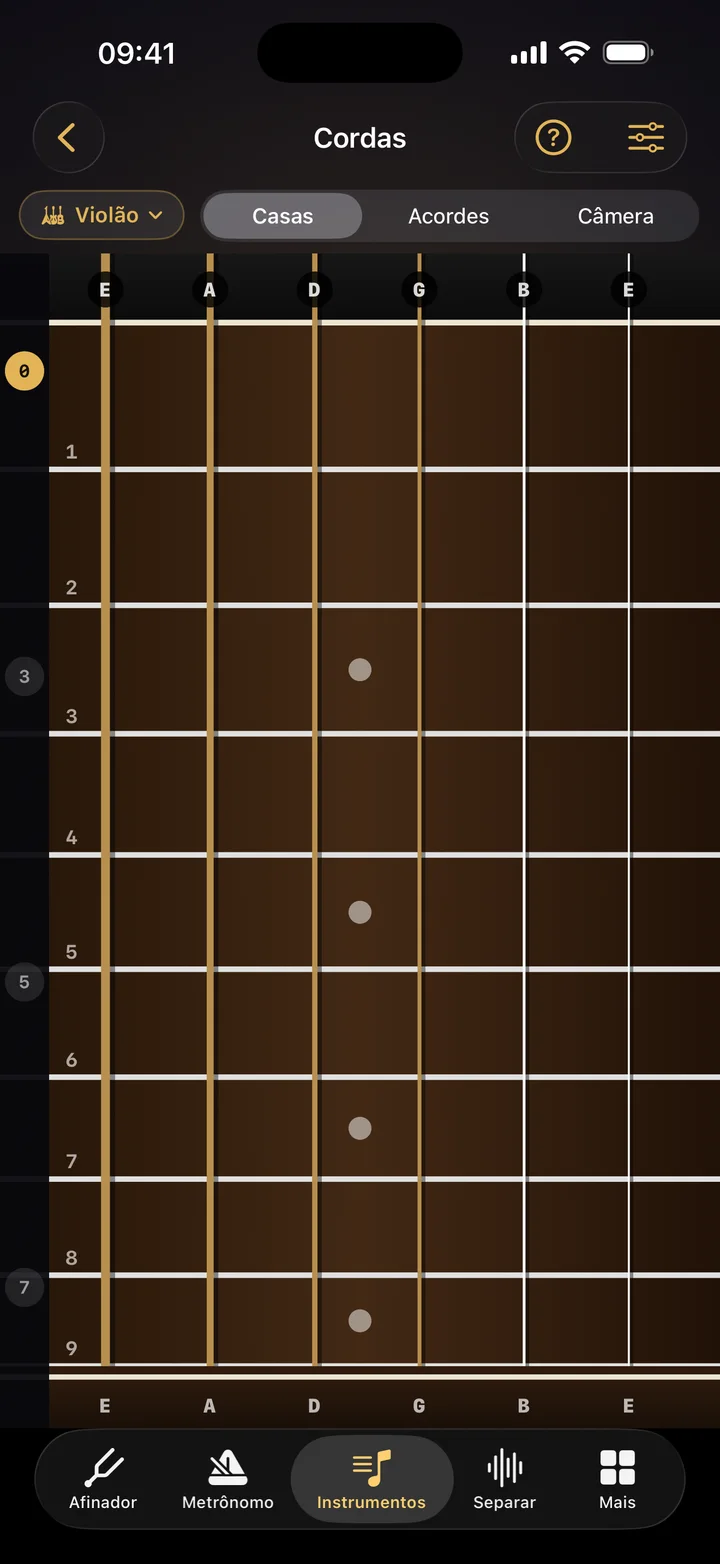
Frets mode: the neck on screen, open strings at the top.
Stems · inside the device
Pull the vocal out without sending your song anywhere.
Pick a song and Cadentia splits it into four tracks: vocals, drums, bass and everything else. The model runs on your device chip. Nothing is uploaded, nothing sits on a server, nothing trains anyone’s model.
Hover or tap a track to mute it.
A whole playlist
Queue several songs at once. The queue keeps going with the app closed and progress shows in the Dynamic Island.
To practise over
Solo, mute, speed and pitch per track. Drop the bass and play yours instead.
On the desktop, too
Cadentia for macOS and Windows separates whatever the computer is playing, live, with no file.
The tools
Seven tools. One app. Zero browser tabs.
The things a musician opens every day, judged by someone who plays: low latency, correct pitch and nothing to wait for.
- 01Tuner
A tuner that doesn't wobble
YIN pitch detection, accurate to about one cent. Reference from 415 to 466 Hz, 49 tunings and the Analyse tuning button: play for a minute and see how much of it you spent in tune.
- 02Metronome
A click that doesn't drift
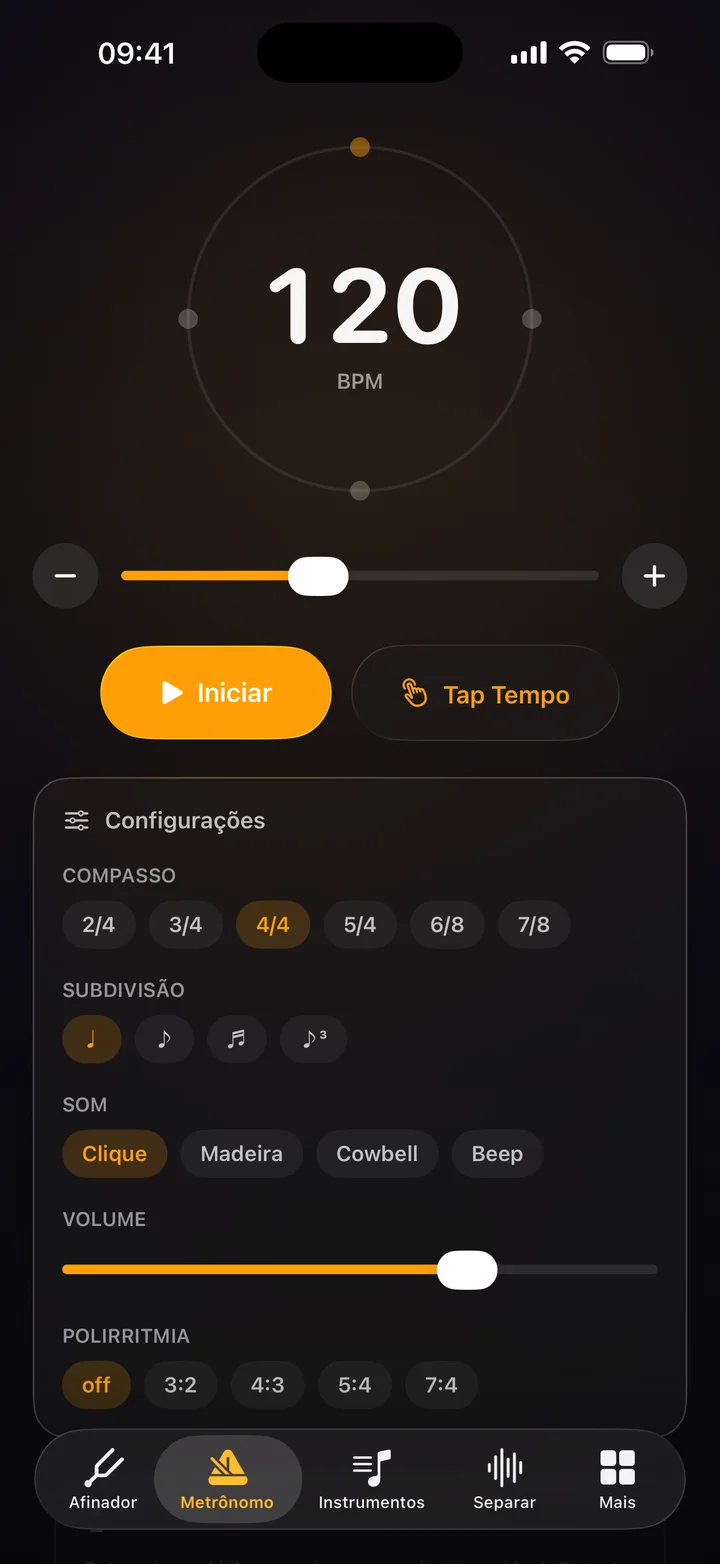
Scheduled on the audio clock, not the screen clock. Time signatures from 2/4 to 7/8, subdivisions, polyrhythm, tap tempo, microphone BPM detector and practice timer. Plays through the silent switch.
- 03Instruments
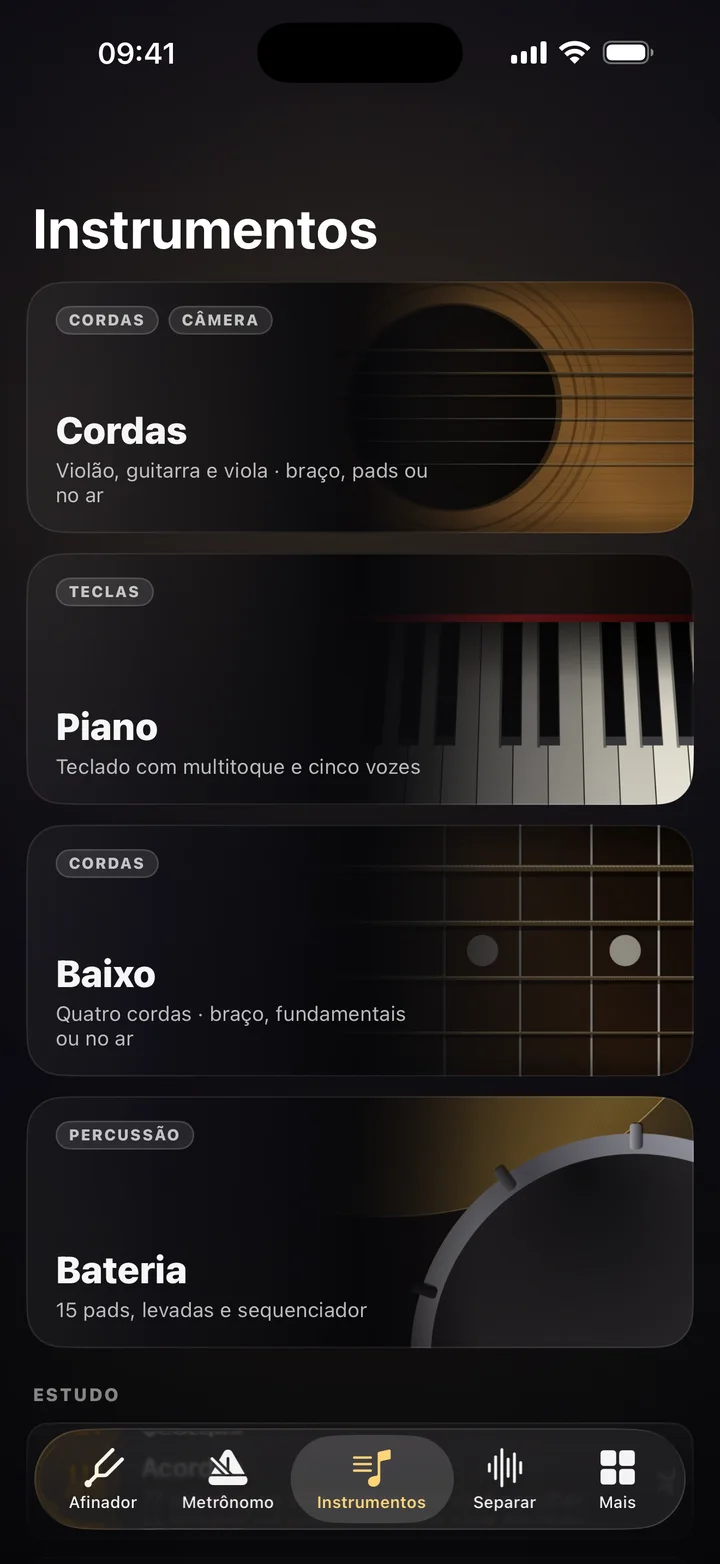
Strings, piano, bass and drums
A hub with all four, plus Study: chords and scales drawn on the neck of the instrument you picked. Sounds by physical synthesis and real sample banks, recorded by people and released into the public domain.
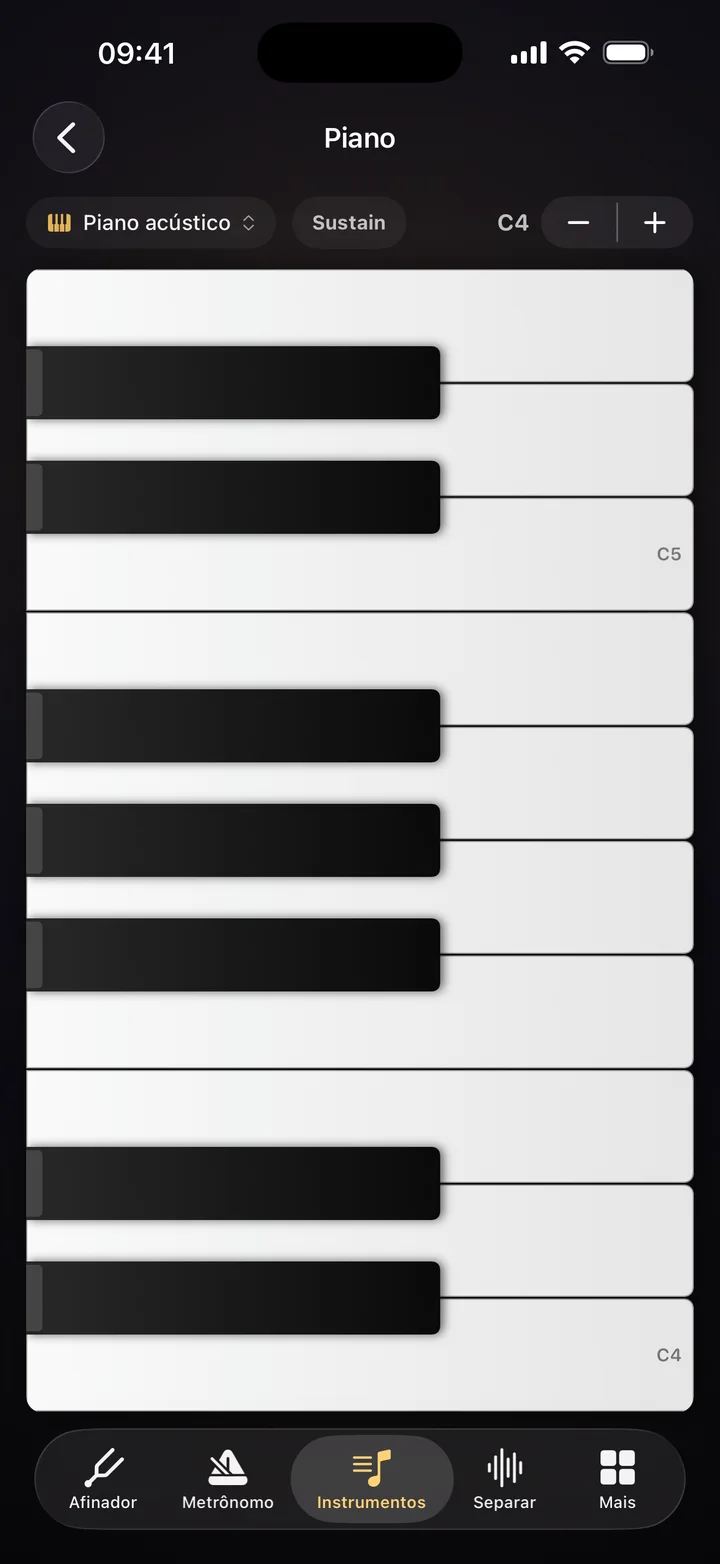
- 04Piano
Vertical multitouch keyboard
Glissando, five voices per touch, 77 chords and 144 scales. How hard you hit changes the timbre, not just the volume.
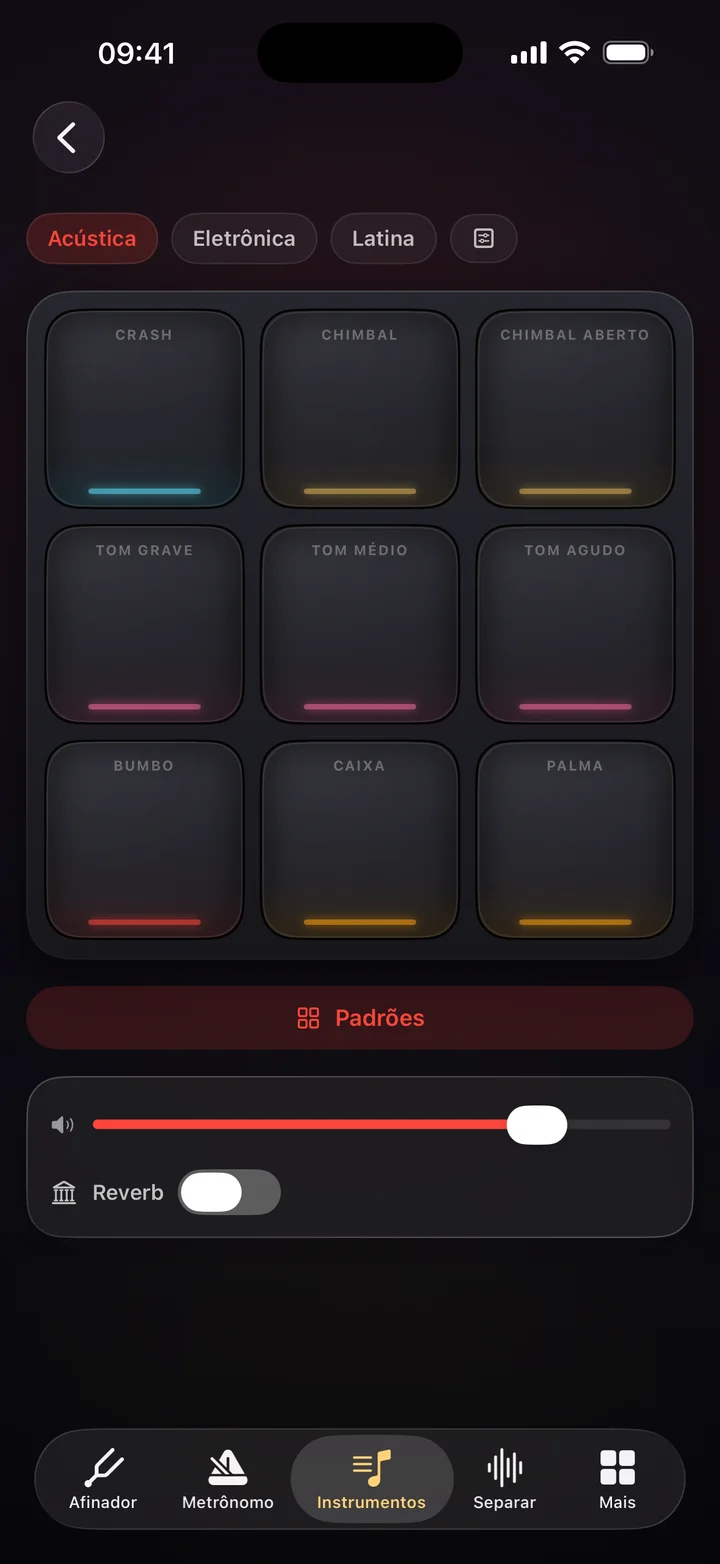
- 05Drums
Pads that answer the hand
Nine edge-lit pads, a 16-step sequencer, 25 ready grooves and reverb. The closed hi-hat chokes the open one, like a real kit.
- 06Tablature
Tablature with a band behind it
Open and edit multitrack tablature with bass, drums and 48 backing tracks. It is the same .rostab file RoqueOS uses in the browser: back and forth, nothing to convert.
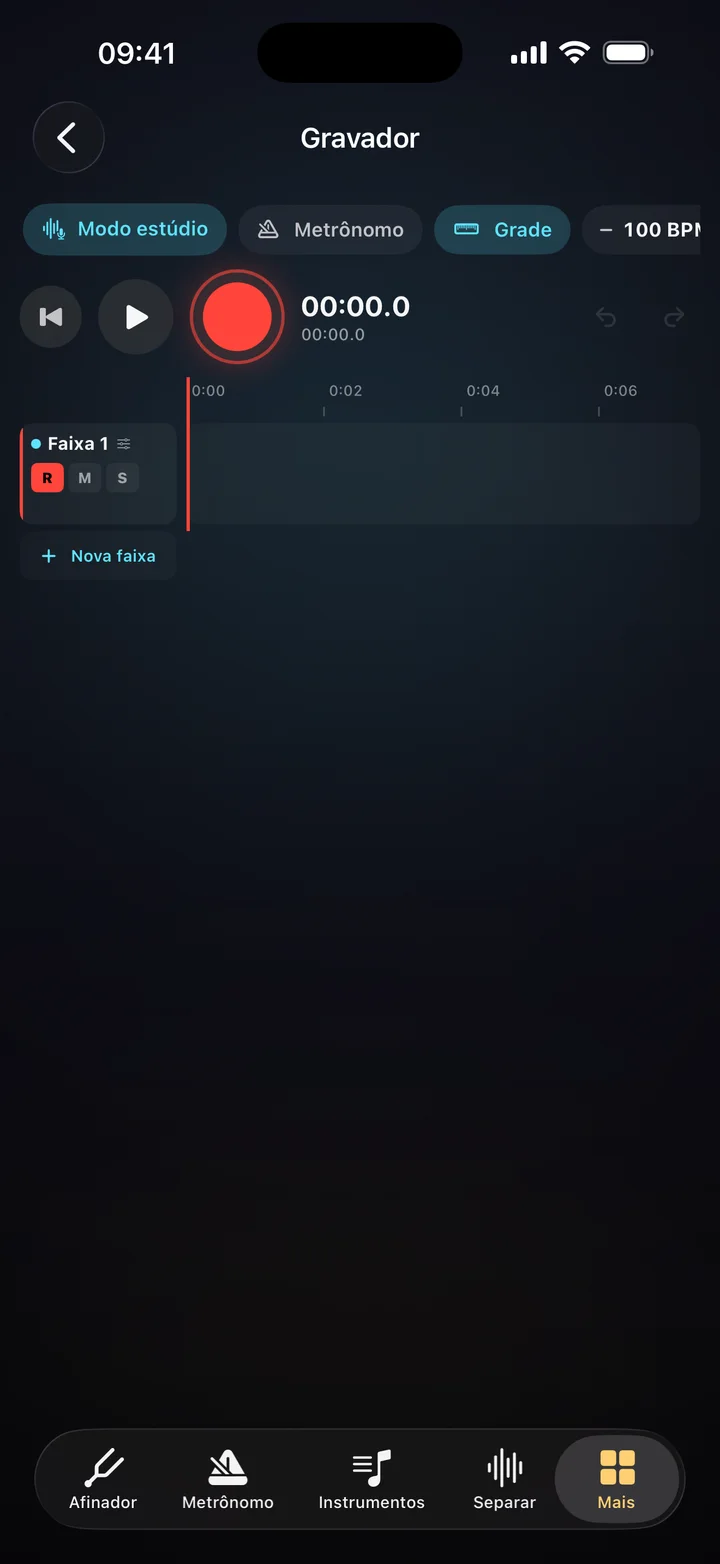
- 07Recorder
Multitrack recorder
Play over what you already recorded, with echo cancellation and noise reduction. Trim, split, fade, pan, undo. Export the mix as M4A.
The spec sheet
Latency is a requirement, not a detail.
Every number here was measured on the device, and is part of the acceptance criteria before any change to the sound.
- Audio buffer on iPhone
- 5 msagainst ~23 ms for the iOS default
- Simultaneous voices
- 24one sampler for every instrument
- Scheduling
- hostTimeclick and note land on the same clock
- Tuner accuracy
- ~1 centYIN algorithm, reference 415 to 466 Hz
- Stem separation
- on devicehtdemucs in Core ML; nothing uploaded
- Samples
- 335 · CC0seven banks, all public domain
What it doesn't have
Turn on airplane mode. Everything keeps working.
No account
Open and play. No sign-up, e-mail or password. There is no account to leak.
No ads
No banner, no video, no “watch to unlock”. Free, with no in-app purchases.
No internet
Tuner, metronome, instruments, recorder and separation run on the device chip. The only part that uses the network is optional: pairing with your RoqueOS account.
Cadentia for desktop
Separates whatever the computer is playing.
Spotify, YouTube, Apple Music, a lesson video. No file, no download, no plugin. Cadentia for macOS and Windows captures system audio, separates it live and becomes the practice station: whole folders separated, A/B loop, pitch and speed saved per song, tuner, metronome and drums alongside.
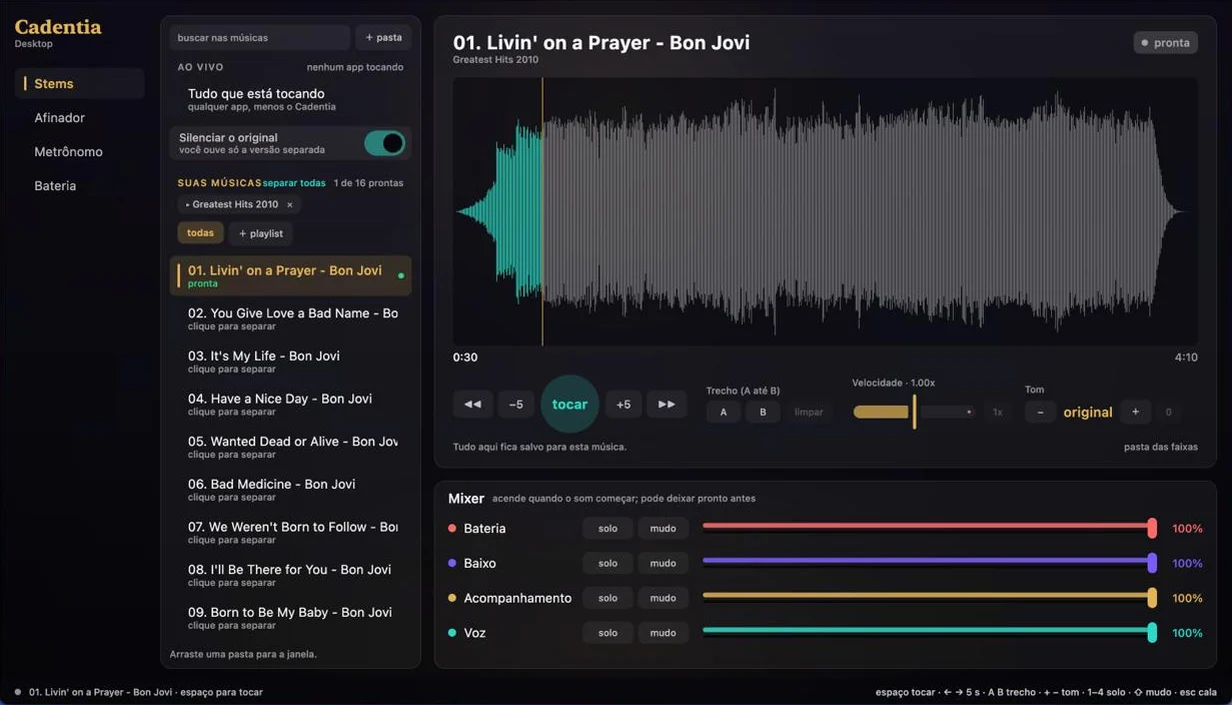
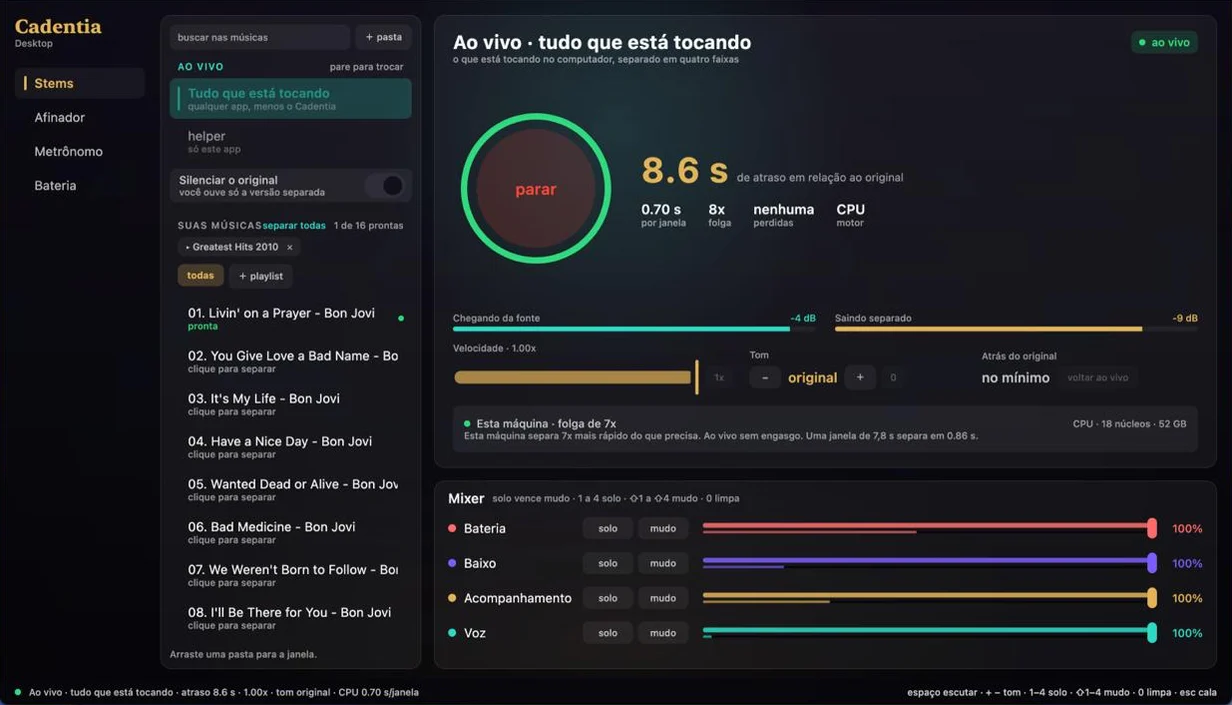
Live, with the delay stated on screen
The separator needs a 7.8 s window to decide. Measured: 8.4 s of delay on a MacBook Pro. The number is visible, not hidden.
High-definition pitch
Phase vocoder with phase locking: +7 semitones with 0.01 cent of error. Speed from 0.5x to 1.5x.
Windows too, since 1.2.0
System capture on Windows goes through WASAPI, the same path as macOS. On Linux, through PipeWire, it is still being built.
Download
Start now. Pick your platform.
Free on every platform. No in-app purchases, no subscription.
iPhone
Requires iOS 26 or later

Android
In internal testing now. The public listing opens when Google’s review is done.
 Coming soon to Google Play
Desktop
each package ships the separation model, the sounds and the runtime; nothing else to install
- macOSmacOS 14.4 or later · Apple silicon or IntelApple siliconIntel
- WindowsWindows 10 or later · x64 · MSI installerComing soon
- LinuxDebian, Ubuntu and derivatives · x64 · .deb packageComing soon
FAQ
What people ask before downloading
Do I need an account?
No. Cadentia opens and works. No sign-up, e-mail or password. The only account-related thing is optional: pairing with your RoqueOS account to play the songs already in your library.
Does it work offline?
Yes, all of it. Tuner, metronome, instruments, tablature, recorder and separation run on the device, with the phone in airplane mode.
Does my music go to a server?
No. Stem separation runs a model inside the device itself (htdemucs, by Meta, MIT license, in Core ML on iPhone). Nothing is sent, nothing is stored outside your device and nothing trains anyone’s model.
Is it paid?
No. Free, no ads, no in-app purchases and no subscription, on every platform.
Is there an Android version?
It is in internal testing now, feature for feature the same as iPhone. When Google’s review is done, the Google Play button lights up here.
And for desktop?
It is in the Download section, for macOS (Apple Silicon and Intel), Windows and Linux. It brings library, loop, pitch, speed, tuner, metronome and drums, and on macOS and Windows it separates live whatever the computer is playing. On Linux, system audio capture does not exist yet; everything else works the same.
Which instruments does it work with?
The tuner is chromatic and has 49 tunings in the catalogue: guitar, electric guitar, 4 to 6-string bass, ukulele, cavaquinho, mandolin, viola caipira and more. Strings mode plays guitar, electric guitar, cavaquinho, ukulele, mandolin and bass.
Does the camera record anything?
No. In Strings mode the front camera is only used to read hand positions, on the device, frame by frame. No image is saved or sent. Frets and Chords modes work with no camera at all.